How to export a questionnaire?
Find out how to export a questionnaire in Excel format from the InputKit platform
It is now possible to export the questions of your questionnaires in Excel format!
How to export a questionnaire?
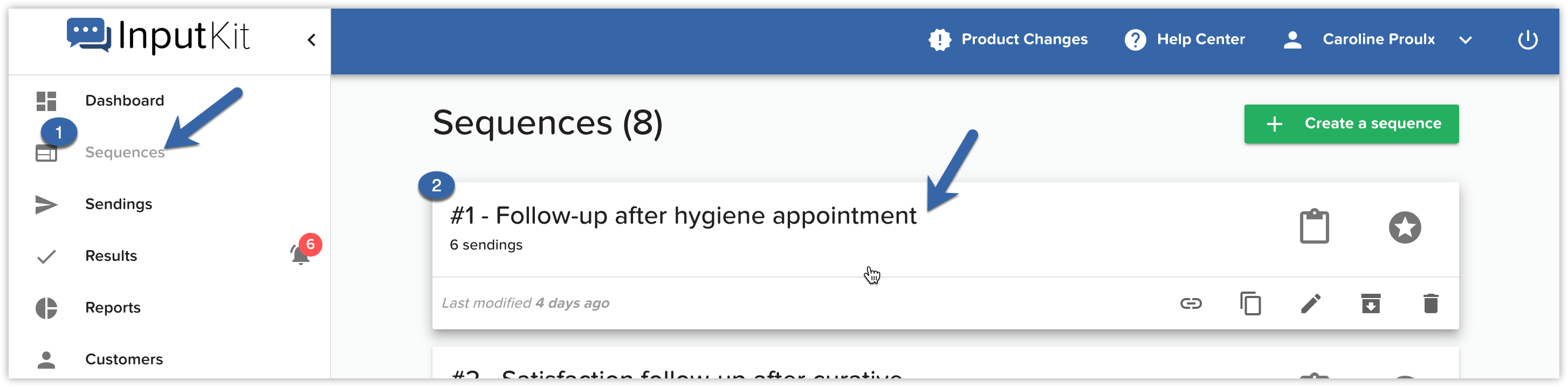
Click on "Sequences" in the left menu
Click on the sequence that contains the questionnaire you want to export:
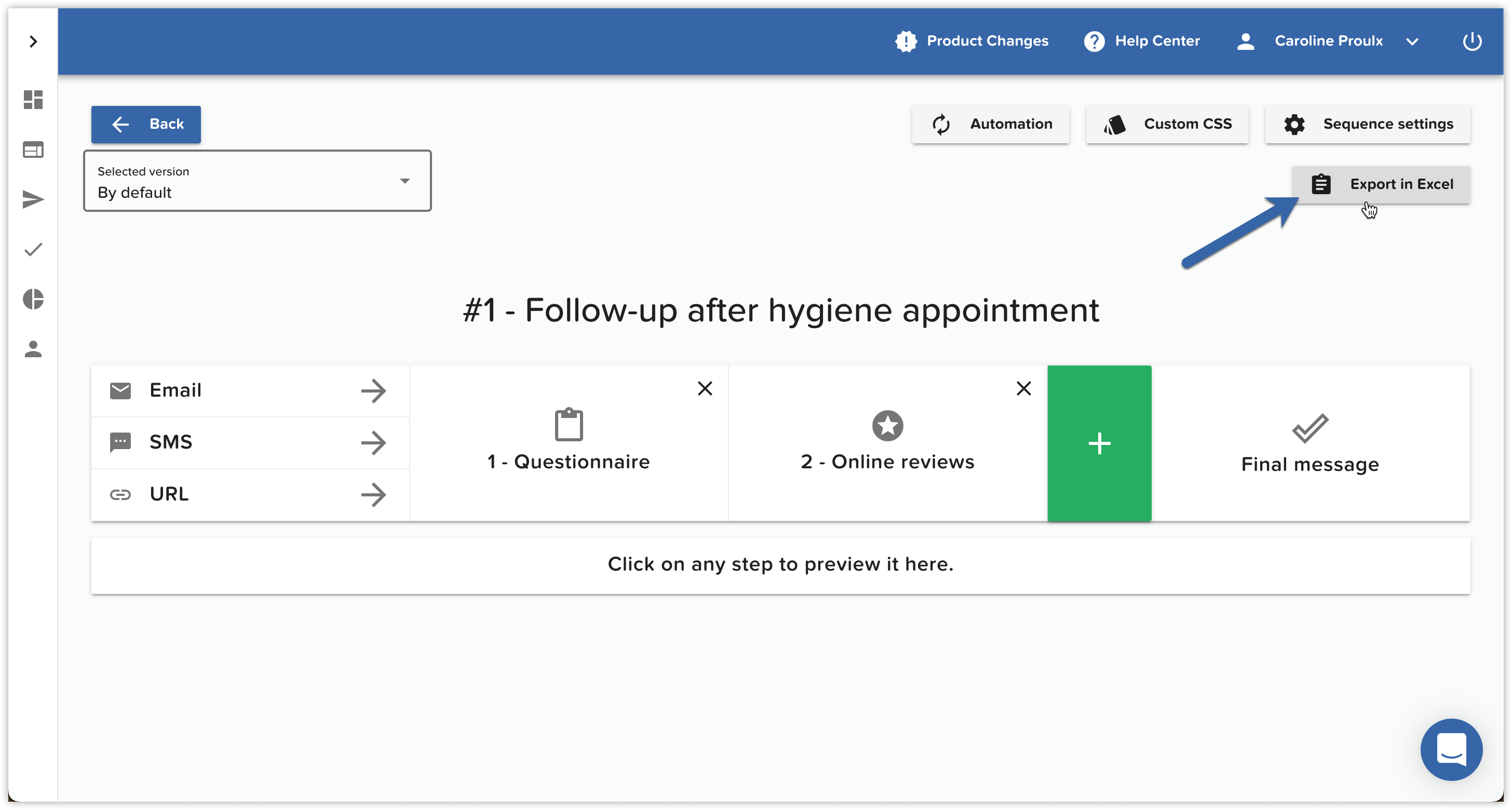
Click on the " Export in Excel" button:
The sequence will be exported to Excel on your computer. To consult the questionnaire, click on the "Questionnaire" tab:
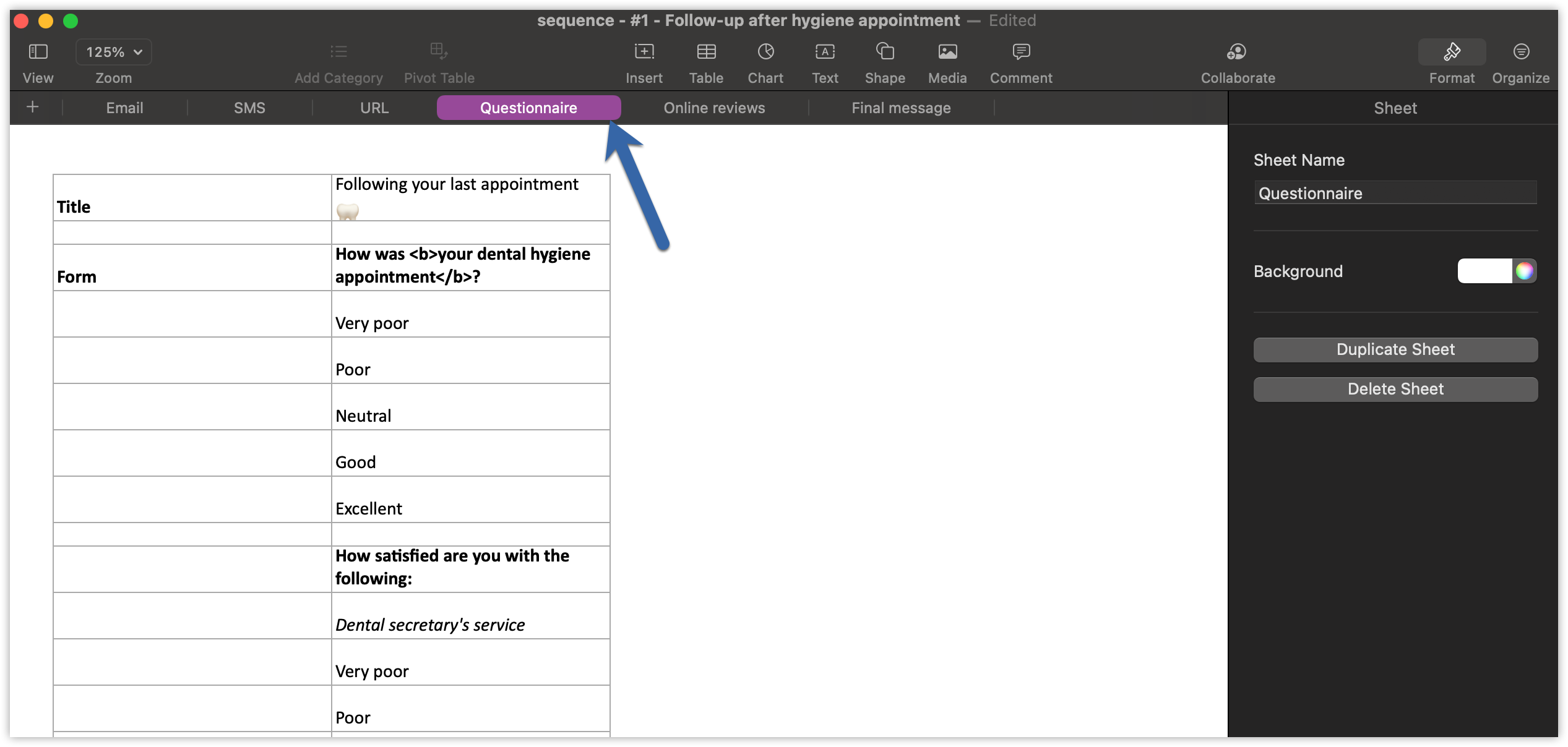
You will see each question and the choices of answers that go with it.
Do not hesitate to write us on the chat if you have any questions.